
Share by WeChat link or QR code
Give clients an English booking page without requiring a new account in WeChat.
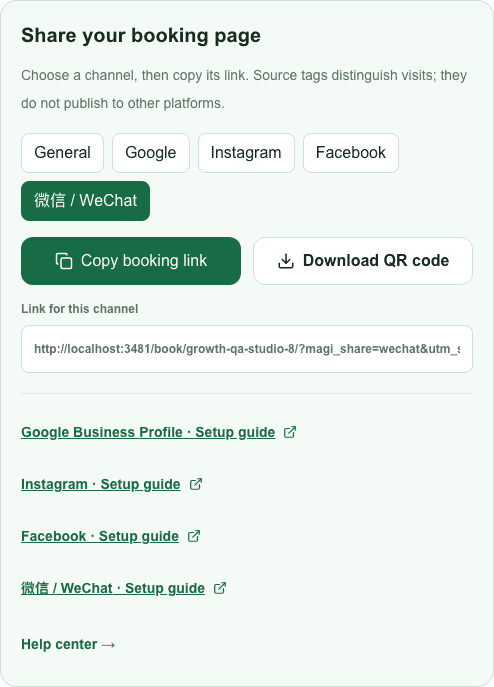
Steps
- 1
Choose WeChat in MagiBooking sharing tools and copy the link, or download your booking QR code.
- 2
Add a clear booking instruction when sharing the link or QR image with people who expect to hear from you.
- 3
Test the link inside WeChat and the QR code on a second device. If an in-app browser restricts a link, ask the client to open it in their regular browser.
- 4
Do not post client names, phone numbers or appointment screenshots in public conversations. WeChat actions are outside MagiBooking and require your own confirmation.